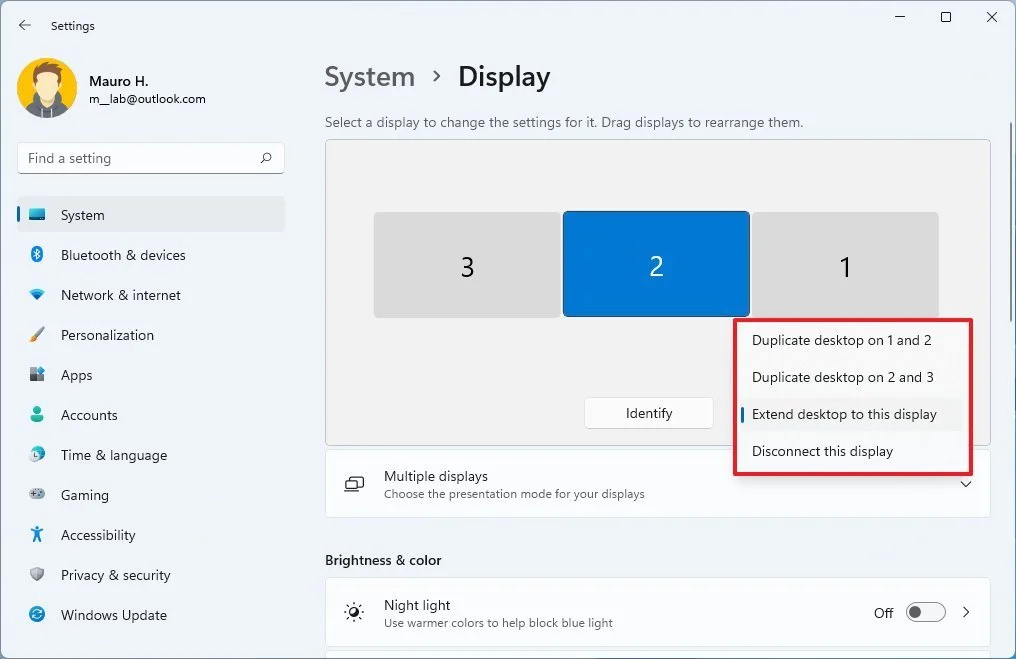
Press Windows + P and make sure you are set to Extend or Duplicate, not PC screen only. If nothing changes, go to Settings > System > Display and click Detect. Still blank? Unplug the cable at both ends and reseat it; on Mac, go to System Settings > Displays and hold Option to reveal Detect Displays.
Why It Matters
Most “dead” monitors are a projection setting or a loose cable, not failed hardware. Two minutes of checking beats hauling a monitor to IT or working off one screen all day when the fix was one keyboard shortcut away.
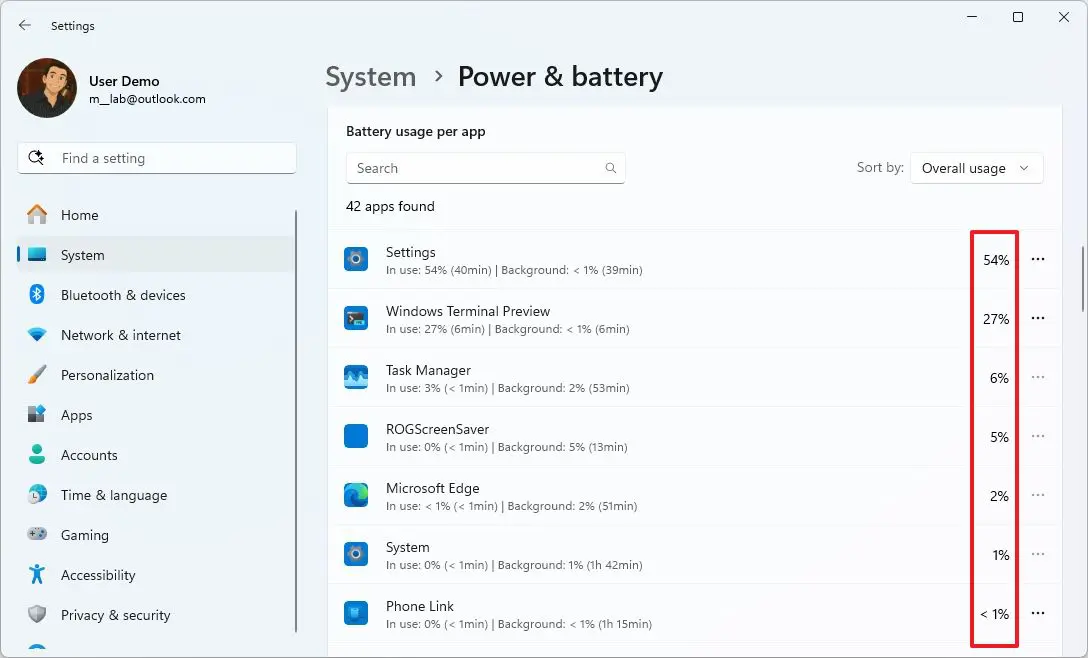
Go to Settings > System > Power & battery > Battery usage and see which apps are draining the most (on Mac, click the battery icon in the menu bar to see apps using significant energy). Close the top offenders you are not actively using, then turn on Battery saver and lower screen brightness a notch.
Why It Matters
A battery that dies by lunch is usually not a dying battery; it is one browser with 40 tabs or an app churning in the background. Finding the culprit takes minutes and can buy back hours, no replacement laptop required.
August 2026 Slow computer cleanup and Zoom camera/mic fixes
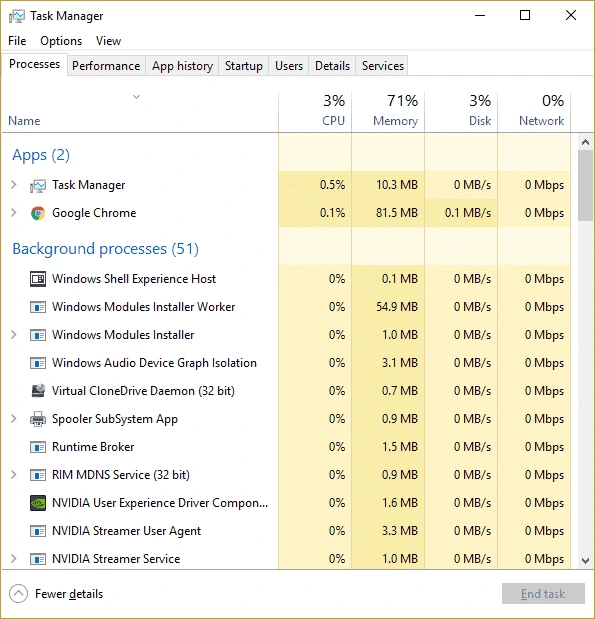
Open Task Manager (Ctrl+Shift+Esc on Windows) or Activity Monitor (Mac), sort by CPU or memory usage, and close anything you don’t recognize or aren’t using. Then check Startup Apps and disable anything that doesn’t need to launch every time you turn on your computer.
Why It Matters
A slow computer isn’t always a hardware problem. More often, it’s a dozen background apps and browser tabs quietly eating resources, and clearing them out takes minutes, not a new laptop.
FIX 02
Why Does My Camera or Mic Not Work on Zoom or Teams?
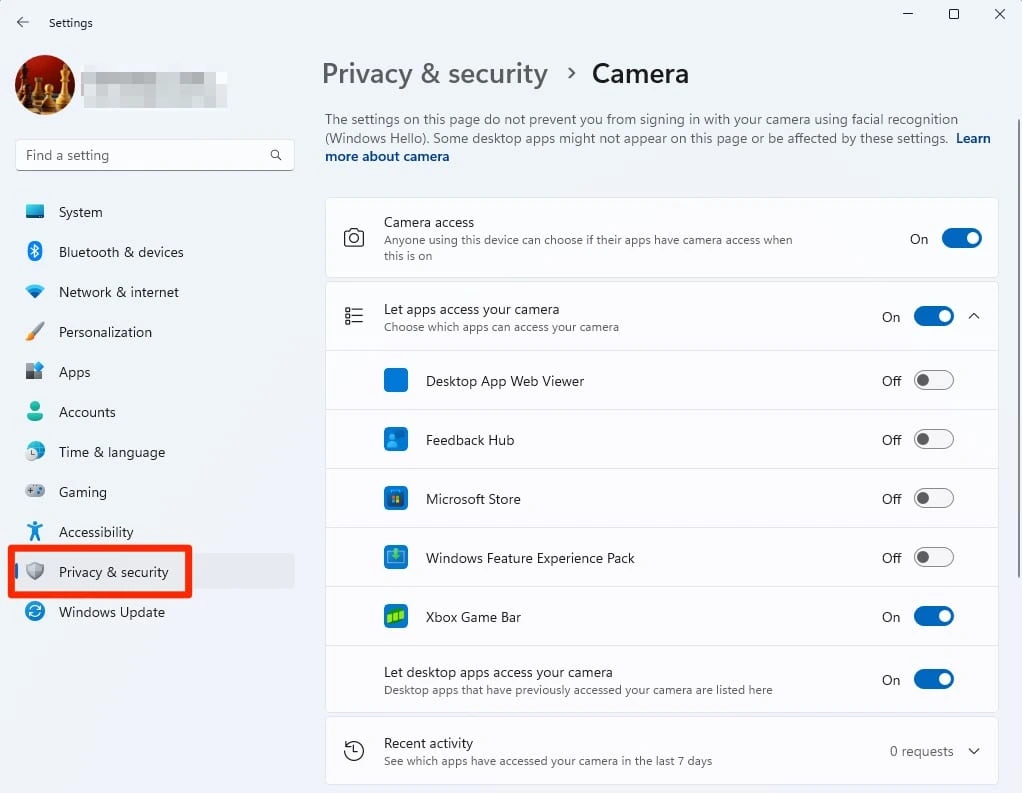
Check your system privacy settings first: Settings > Privacy & Security > Camera/Microphone on Windows, or System Settings > Privacy & Security on Mac, and confirm the app has permission. Then check the app itself, Zoom and Teams both have their own camera/mic settings buried in Preferences that can silently point to the wrong device.
Why It Matters
Nine times out of ten, it’s not a broken camera, it’s a permission or device setting turned off somewhere between the operating system and the app. Two minutes of checking beats scrambling mid-meeting.
July 2026 Summer travel backups and impossible travel alerts
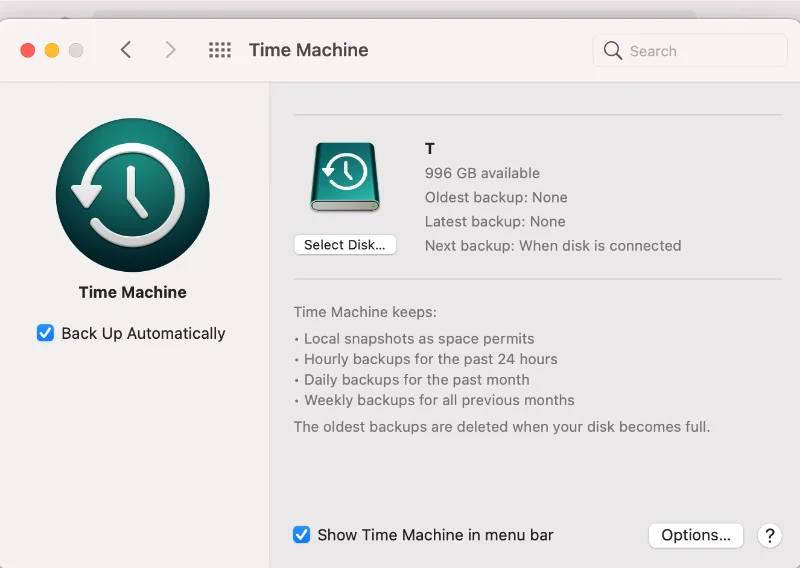
Before anyone travels this summer, confirm laptops and phones are backed up to OneDrive, SharePoint, or your business backup solution, not just saved locally. Go to Settings > Accounts > Windows Backup (or Time Machine on Mac) and turn on automatic backup if it is not already running.
Why It Matters
Lost and stolen laptops spike every July and August as travel season ramps up. A backed-up device is an inconvenience. An unbacked-up one is a lost client file, a lost project, or a lost contract with no way to get it back.
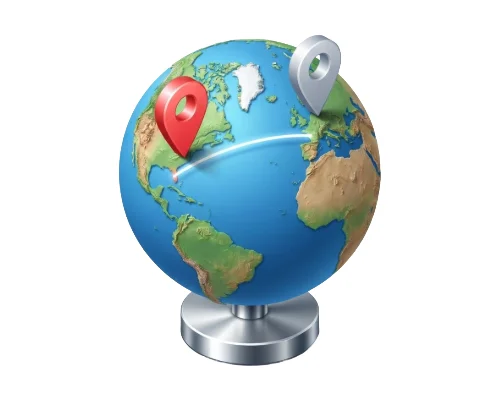
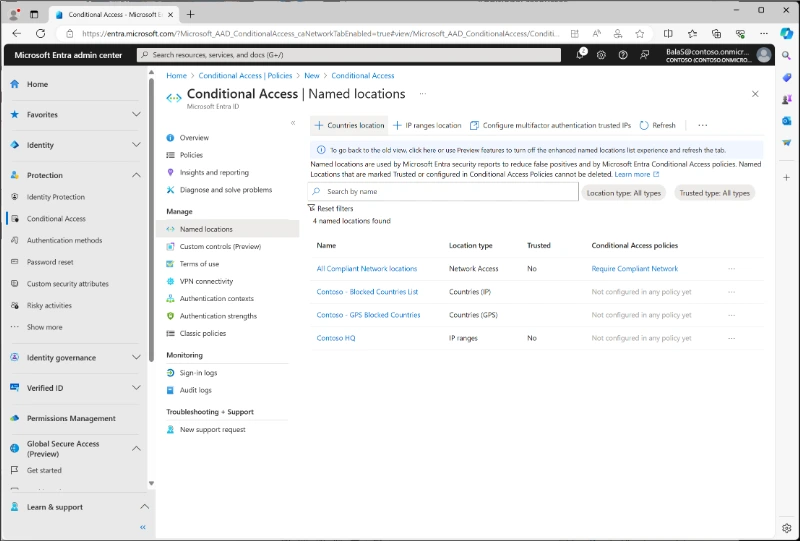
For Microsoft 365 users: go to Microsoft Entra admin center > Protection > Conditional Access, and enable impossible travel or atypical location alerts if they are not already on. For Google users: go to Google Workspace Admin console > Security > Alert Center, and enable impossible travel or atypical location alerts if they are not already on.
Why It Matters
Most infostealer logins get caught the same way: a sign-in from a country nobody on the team has ever traveled to. Even when a password is stolen and typed in correctly, an alert flags the login anyway because no one can be in Florida and the Amalfi Coast fifteen minutes apart.
June 2026 Exposed devices and vendor access review
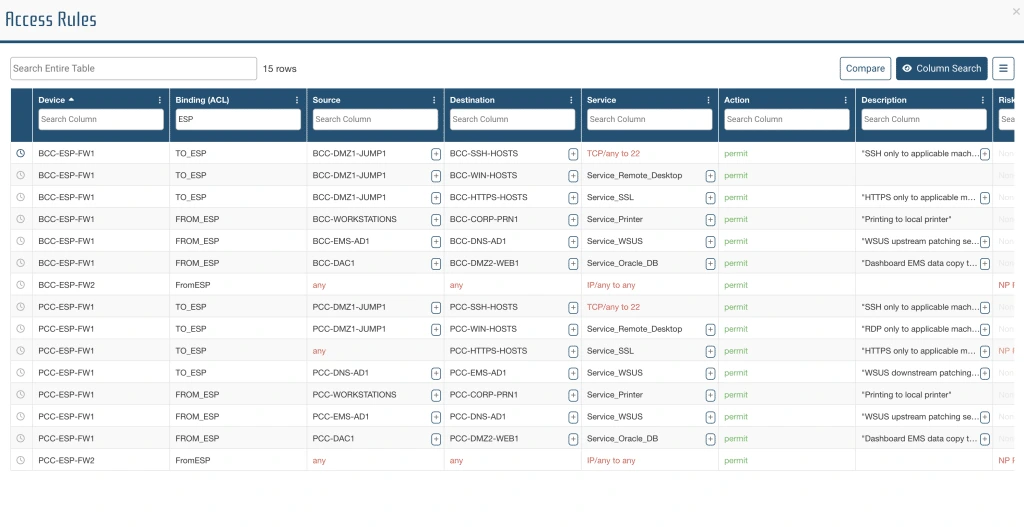
Log into your firewall or router admin panel and look for sections called Port Forwarding, NAT, Remote Access, VPN, or Published Services. Review any rule that exposes a device or service to the internet, especially Remote Desktop, cameras, servers, NAS devices, printers, or old office PCs. If you see something outdated, unused, or unfamiliar, disable it or send it to IT for review before leaving it live.
Why It Matters
Businesses often expose a system so someone can access it from home, then forget it is there. That is exactly the kind of security gap Rob warned about. Anything reachable from the internet can be found and tested by attackers, and Verizon’s latest breach report shows vulnerability exploitation is now one of the top ways they get in.
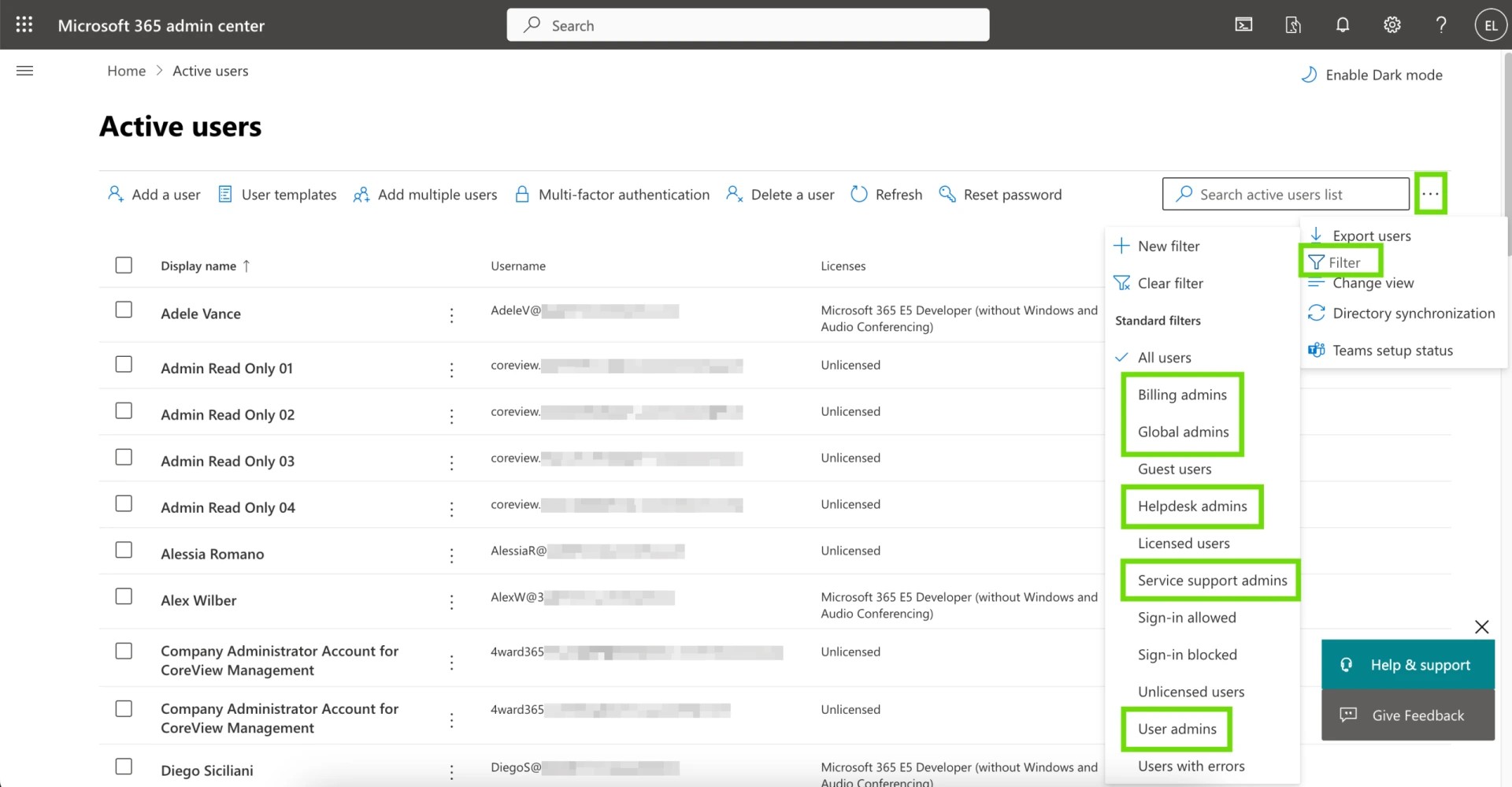
Go to Microsoft 365 Admin Center > Users > Guest users and review any outside accounts still listed there. Then check Microsoft Entra admin center > Roles and administrators to see whether any vendor, consultant, or former IT provider still has elevated access. After that, review your firewall, backup portal, remote support tool, and key business apps for any outside logins or shared vendor accounts that are no longer needed. Remove anything outdated, unused, or unclear.
Why It Matters
Third-party access is one of the easiest things to overlook and one of the hardest things to explain after an incident. Vendors, consultants, and former providers often keep access long after the job is done. GiaSpace’s recent breach coverage and the latest DBIR both point to the same issue: third-party risk is rising, and every unnecessary outside login is one more path into your business.
May 2026 Wi-Fi device check and laptop auto-lock
FIX 01
See Who Is Actually Connected to Your Office Wi-Fi Right Now
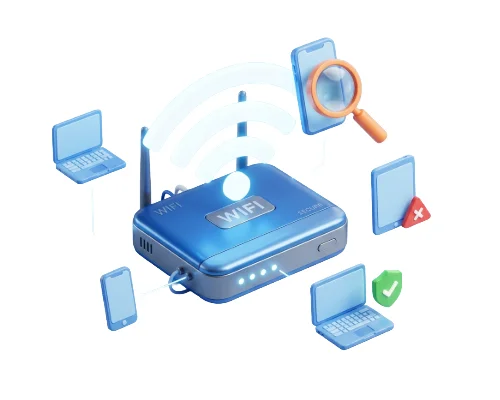
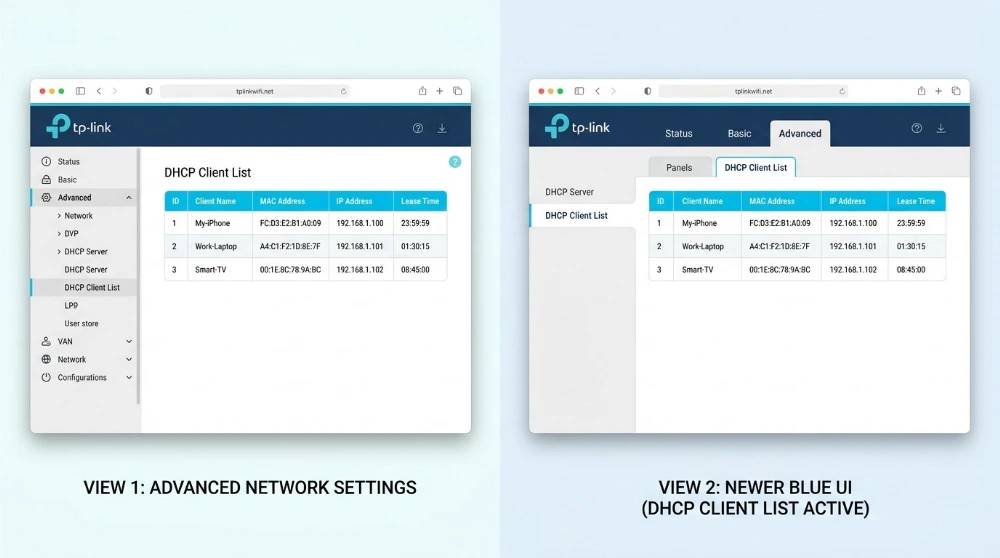
Log into your router’s admin panel (usually 192.168.1.1 or 192.168.0.1 in your browser) and look for a section called Connected Devices or DHCP Client List. Review every device on the list. If you see anything unfamiliar, unknown, or that does not belong to your team, remove it and change your Wi-Fi password immediately.
Why It Matters
Most business owners set up their Wi-Fi once and never look at it again. Neighbors, former employees, or even attackers who got hold of your password could be sitting on your network right now. Anyone on your network can potentially see your shared files, printers, and internal systems.
FIX 02
Make Sure Auto-Lock Is Enabled on Every Work Laptop
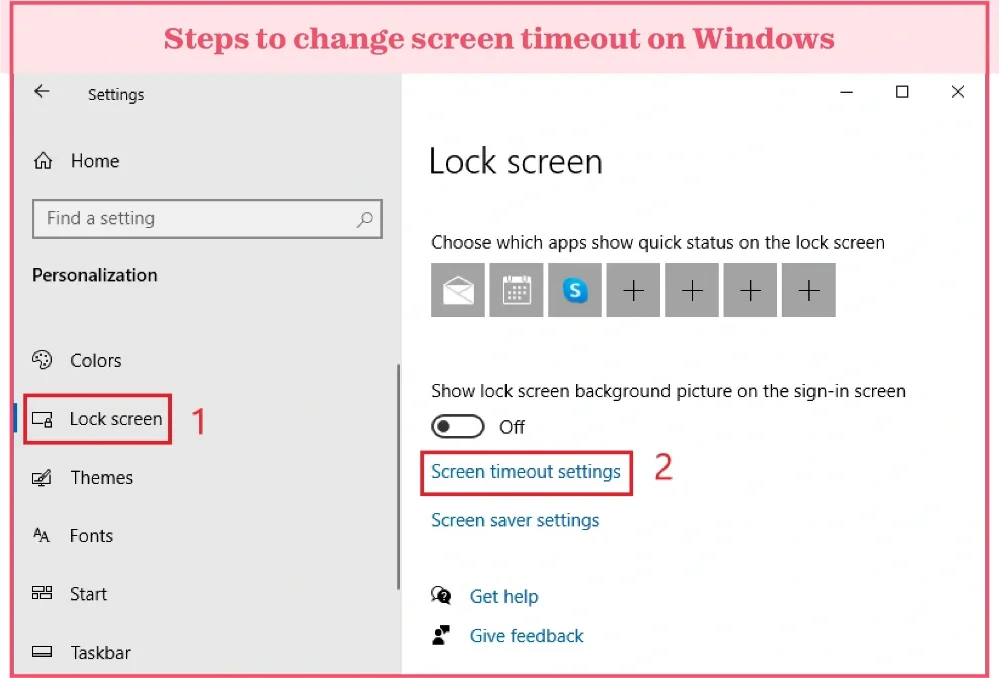
On Windows, go to Settings > Personalization > Lock Screen > Screen Timeout and set the screen to lock after 5 minutes of inactivity. On Mac, go to System Settings > Lock Screen and set it to require a password immediately. Check every work laptop, not just your own.
Why It Matters
Consent phishing can trick a user into approving a malicious app instead of giving up a password. That gives attackers a quieter way into Microsoft 365 data, including mail and files, while making the activity look like a legitimate app connection.
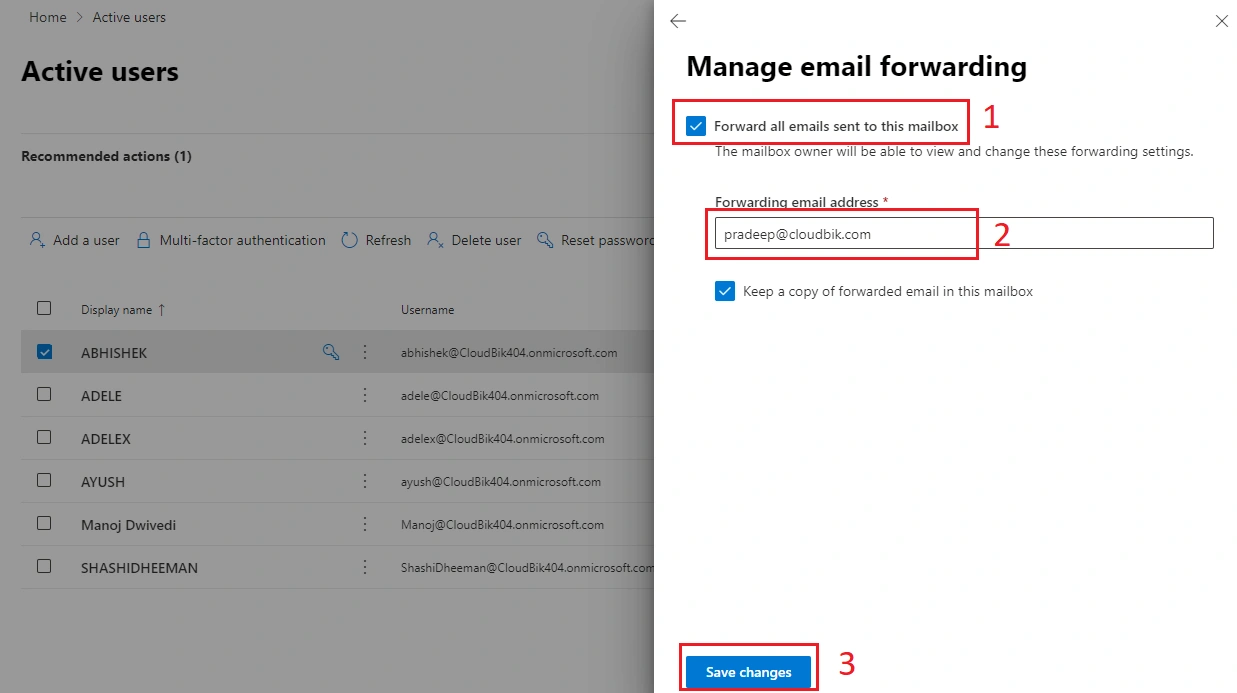
Go to Outlook on the web > Settings > Mail > Rules and review inbox rules for anyone in finance, HR, or leadership. Then go to Microsoft 365 Admin Center > Users > Active users > select user > Mail > Manage email forwarding to check whether forwarding is turned on at the mailbox level. Remove any rule or setting that auto-forwards messages outside the company unless it is clearly approved.
Why It Matters
Attackers love mailbox forwarding rules because they let them quietly monitor invoices, payroll notices, password resets, and other sensitive emails without drawing much attention. Microsoft treats suspicious forwarding activity as a common enough attack pattern to have dedicated investigation guidance for it.
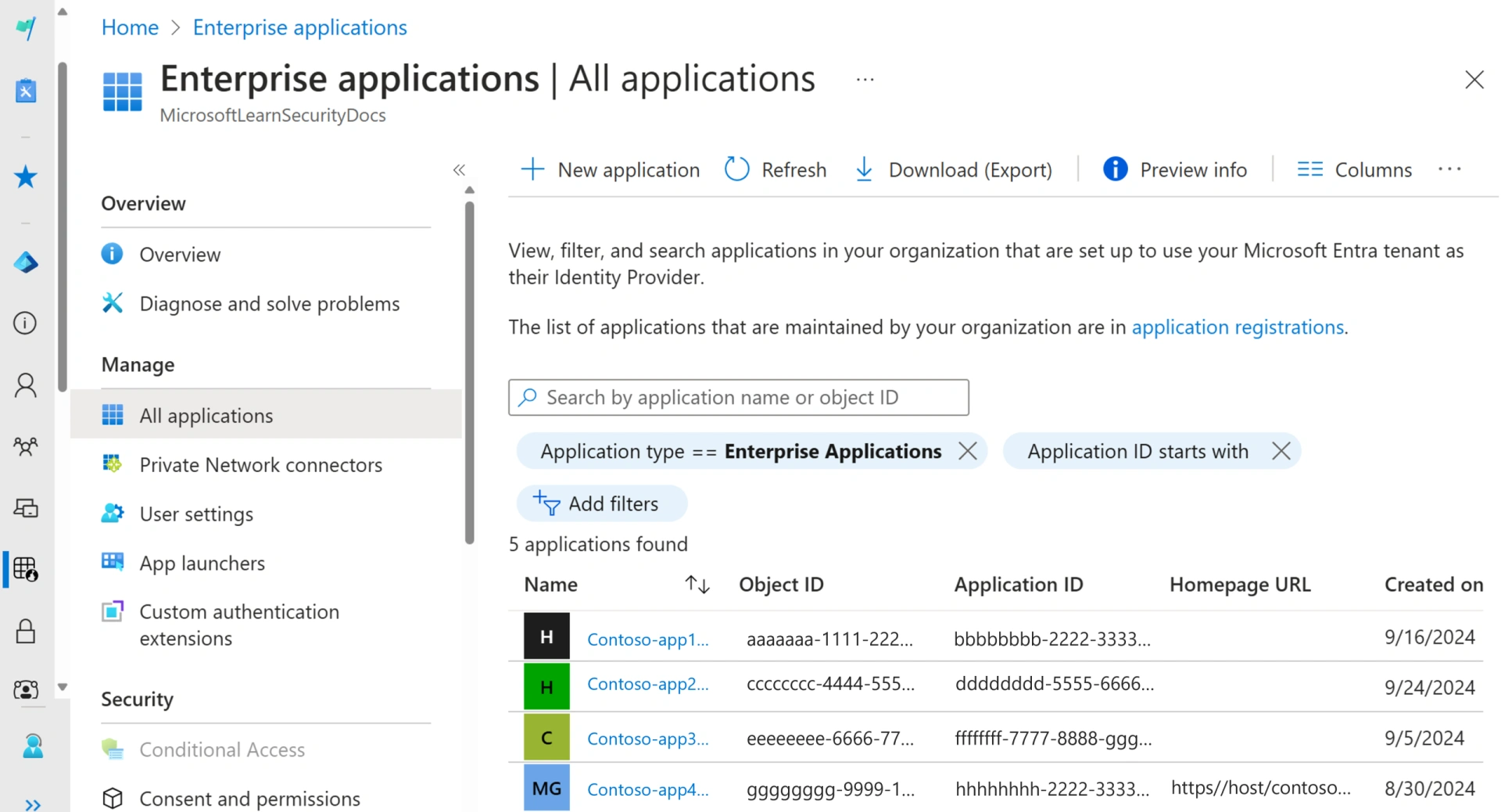
Go to Microsoft Entra admin center > Enterprise applications > All applications. Review the list for anything unfamiliar, overly broad, or no longer needed, especially apps tied to email, files, or user data. Click into any app you do not recognize and review its permissions and consent settings before removing or investigating it.
Why It Matters
Consent phishing can trick a user into approving a malicious app instead of giving up a password. That gives attackers a quieter way into Microsoft 365 data, including mail and files, while making the activity look like a legitimate app connection.
March 2026 Browser extensions and notification permissions
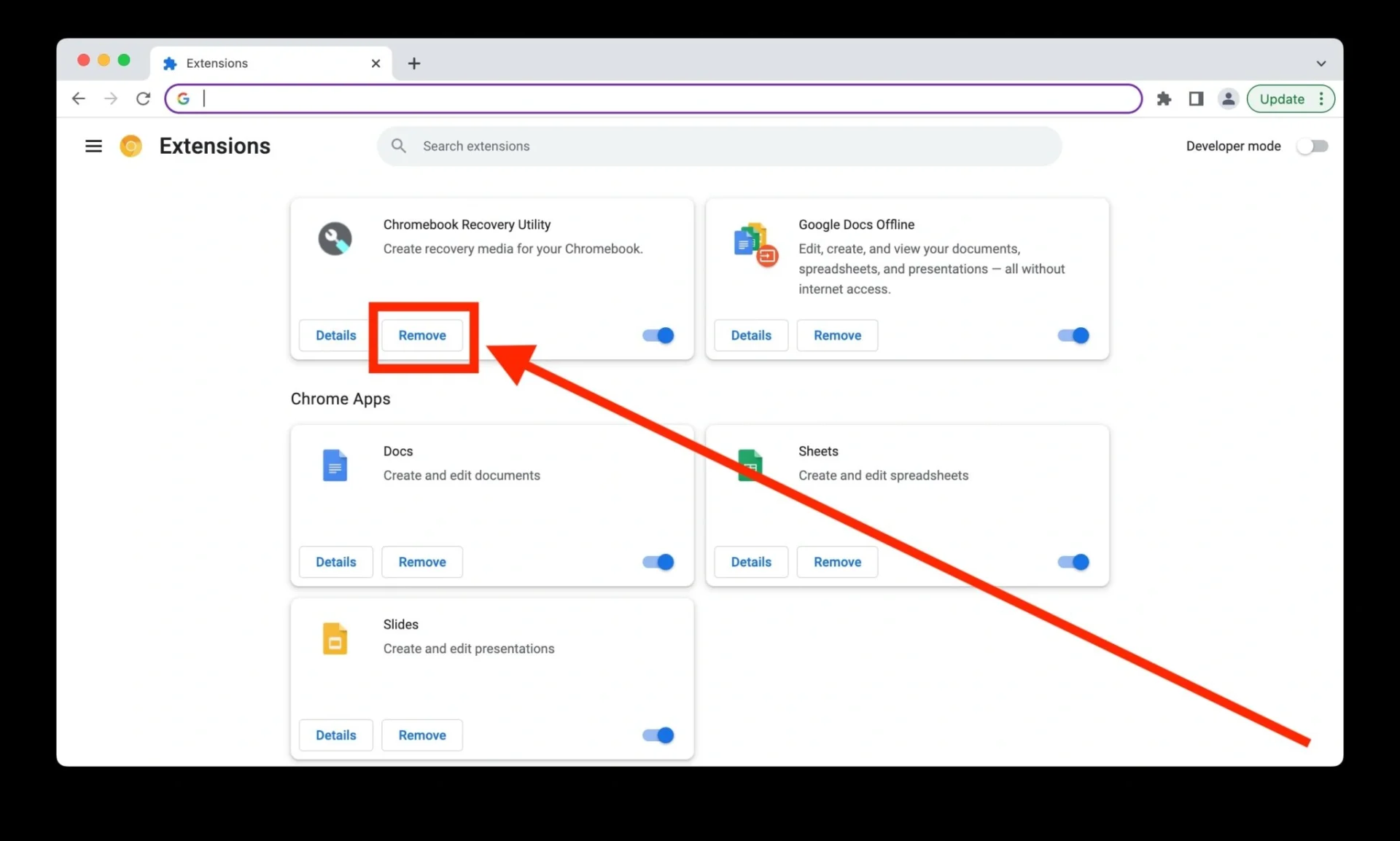
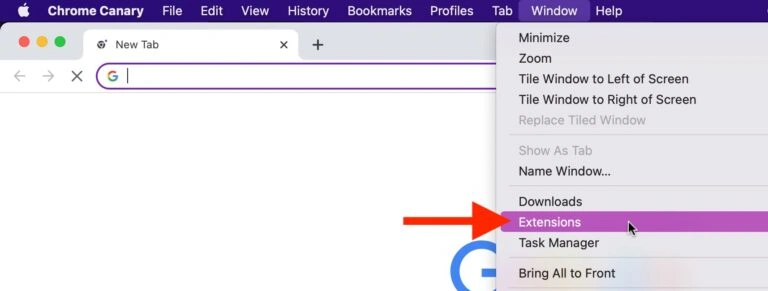
Go to Chrome > Extensions > Manage Extensions or Edge > Extensions > Manage Extensions and remove any extensions you no longer use, especially AI assistants, coupon tools, screen capture apps, and PDF editors.
Why It Matters
Browser extensions can access more data than most people realize, including page content, login sessions, and browsing activity. A quick extension cleanup is an easy way to reduce risk and speed up your browser.
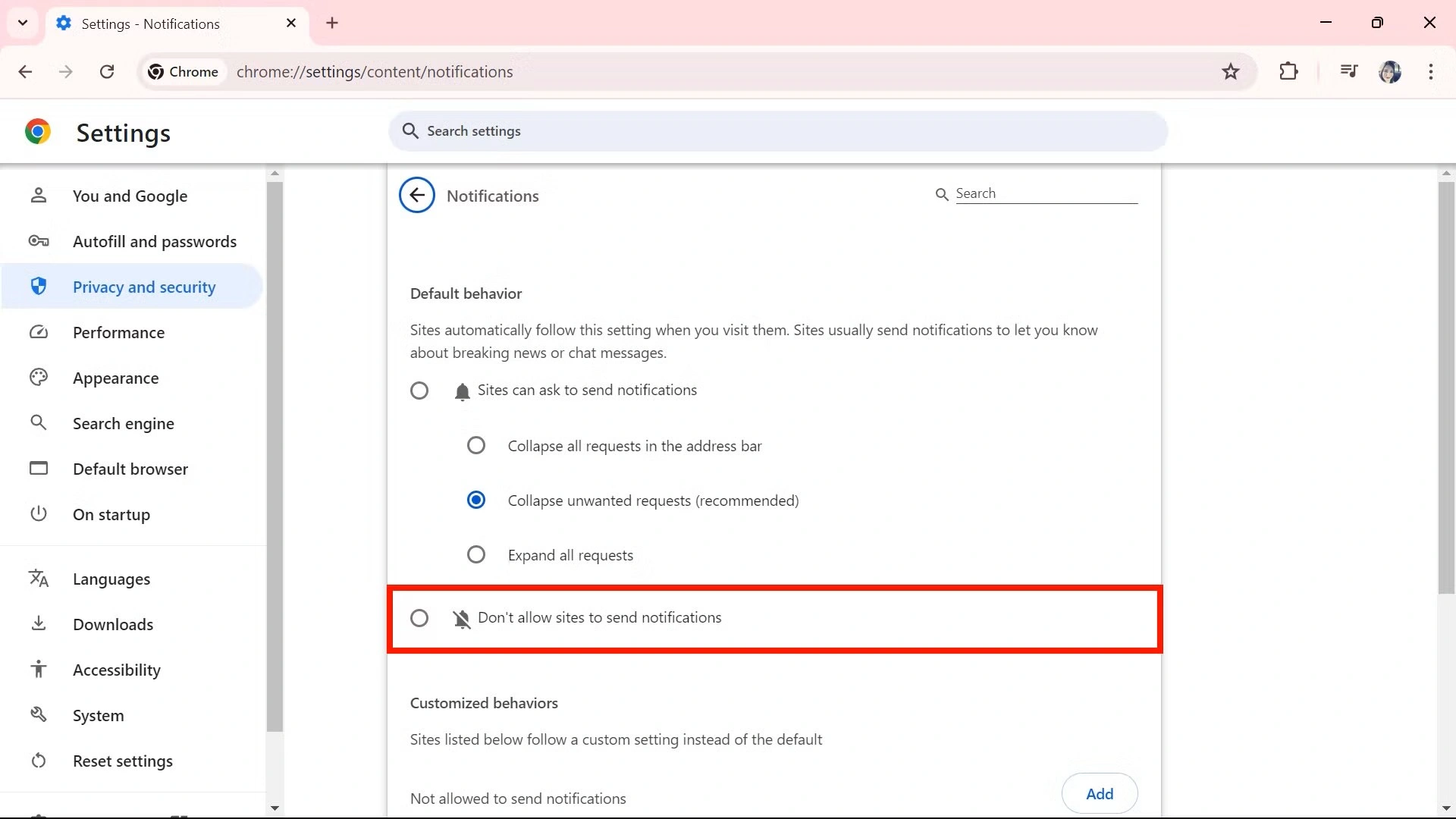
Go to Chrome > Settings > Privacy and security > Site settings > Notifications or Edge > Settings > Cookies and site permissions > Notifications and remove any websites you do not trust.
Why It Matters
CISA says recent alerts cover active cyber threats and campaigns that need rapid response, and browser-based attacks remain a common doorway into day-to-day work. Tightening notification permissions is an easy cleanup step when so much work now happens in the browser. This last sentence is an inference supported by CISA’s focus on ongoing web-based threat activity.
February 2026 Shadow extensions and emergency Windows patch
Open your primary browser and go to your Extensions or Add-ons manager. Remove any extension you have not used in the last 30 days, especially free PDF converters or coupon finders.
Why It Matters
In 2026, malicious extensions are a leading way for hackers to bypass MFA through session hijacking. Even legitimate extensions can be sold to bad actors who push out updates containing spyware. If you are not using it, it should not have access to your data.
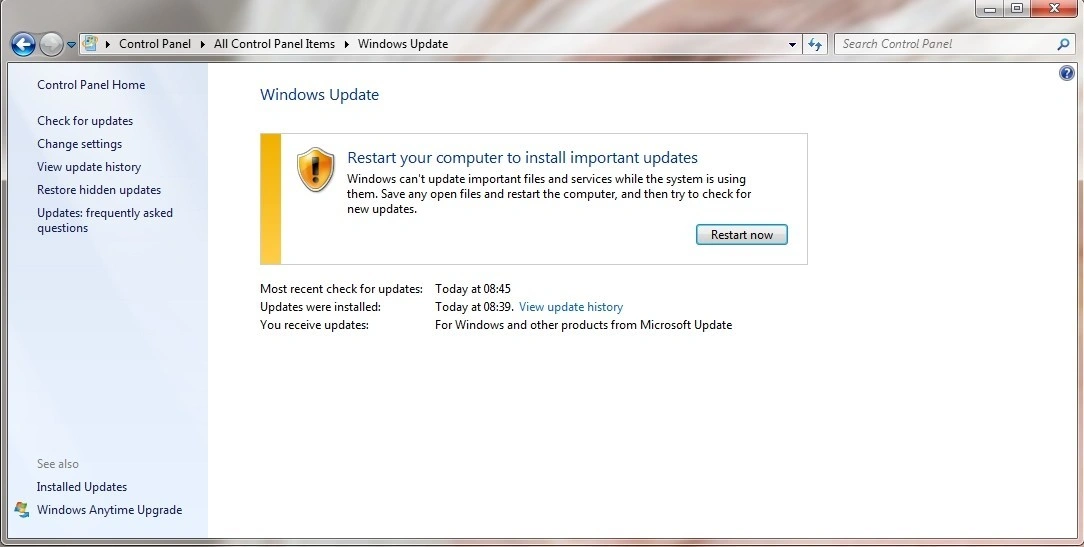
Manually trigger a Windows Update. Go to Settings > Windows Update > Check for updates and install all available patches. These flaws let hackers bypass security warnings by tricking you into clicking a link or a Word doc.
Why It Matters
Hackers are actively using these vulnerabilities to gain administrative control over business PCs. Waiting for the automatic update may be too late.
January 2026 Ghost subscriptions and critical Windows patch
FIX 01
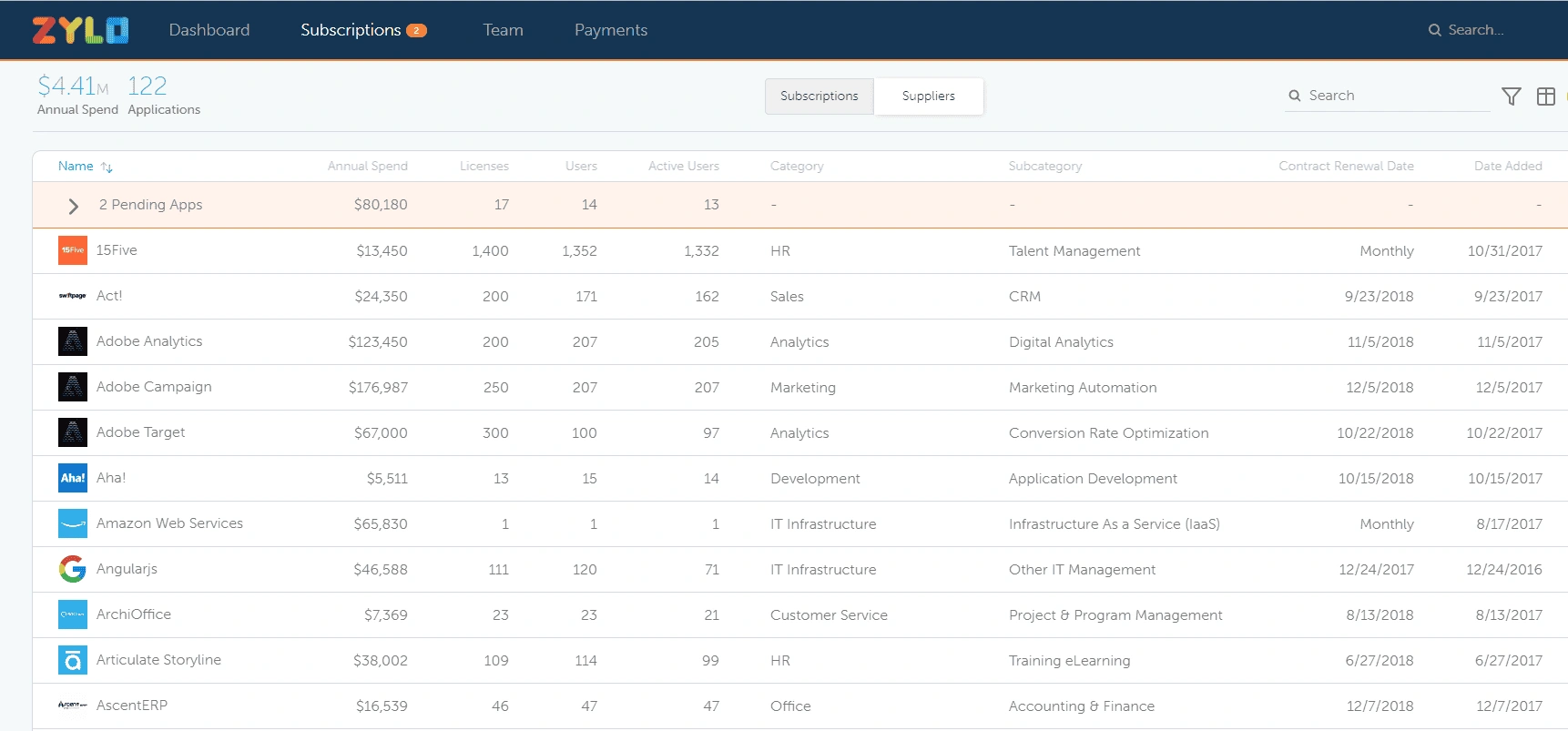
Audit Your Software Subscriptions (You’re Probably Paying for Ghosts)
Pull up your business credit card statements from the last 3 months. Highlight every recurring software charge and ask: does anyone on the team actually use this? Cancel subscriptions nobody remembers, remove licenses for employees who left, and consolidate duplicate tools.
Why It Matters
The average business wastes 30% of their SaaS budget on ghost subscriptions. Beyond the money, every unused account is a security vulnerability that nobody is monitoring.
FIX 02
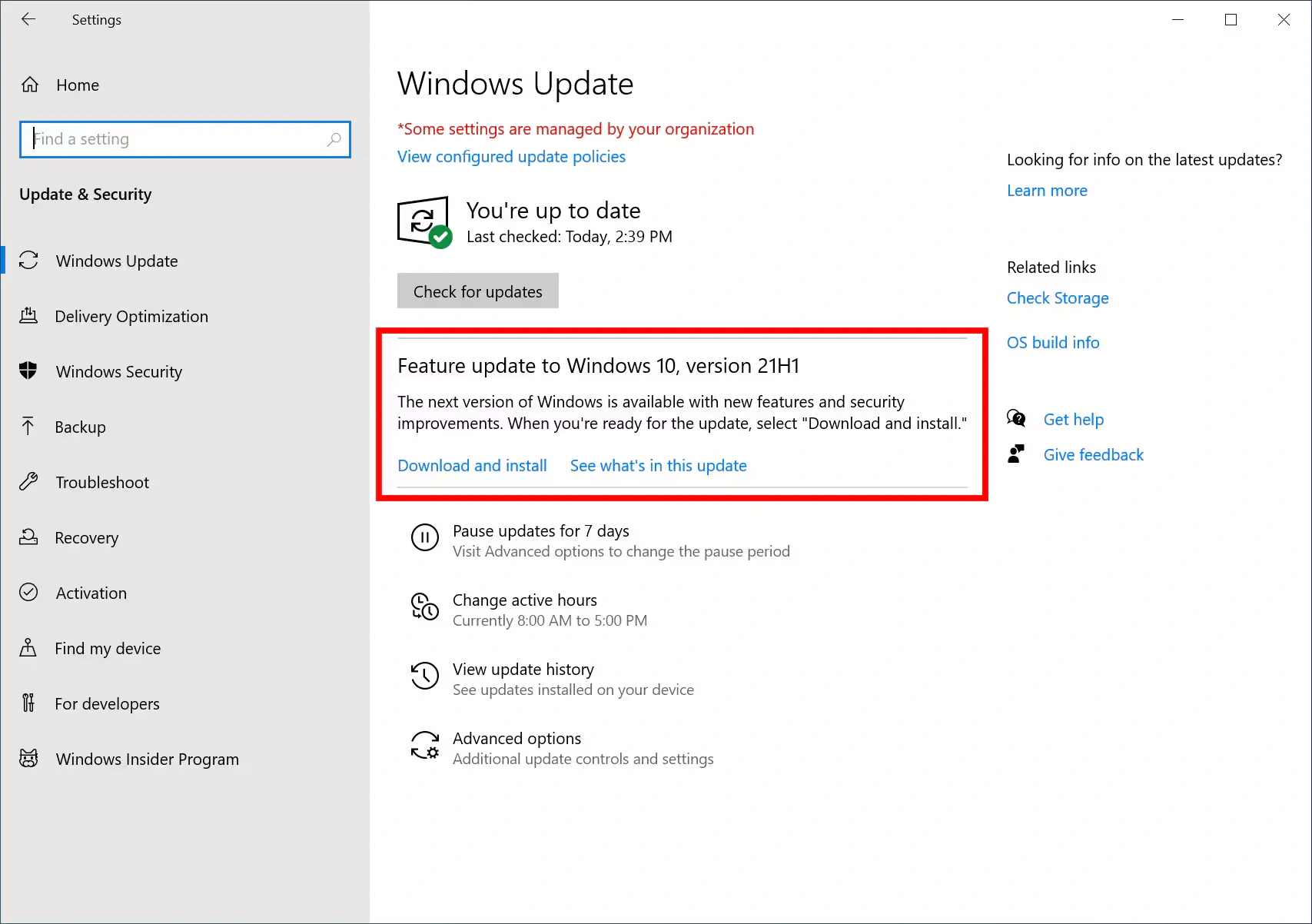
Update Windows Now (Hackers Are Exploiting This Flaw)
Go to Settings > Windows Update > Check for updates and install all available patches immediately. One vulnerability (CVE-2026-20805) is already being actively exploited in the wild.
Why It Matters
CISA added this flaw to their Known Exploited Vulnerabilities list. This January update fixes 114 security holes, including 8 critical vulnerabilities. The longer you wait, the more exposed your team is.
December 2025 Windows security feature and smart out-of-office settings
FIX 01
Turn On Microsoft’s Silent Security Feature Finally Activated
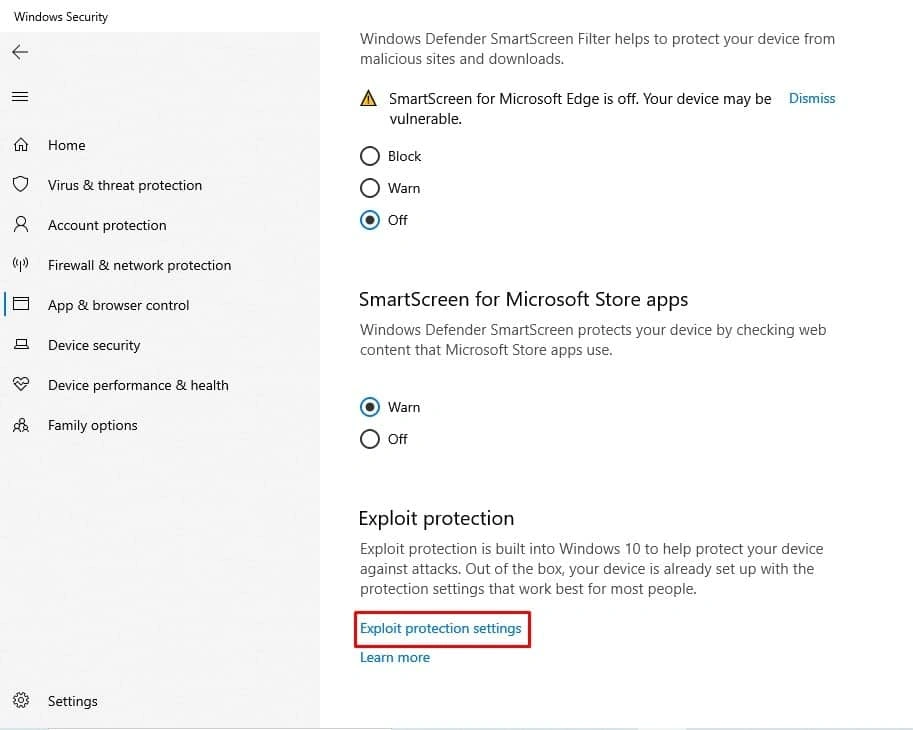
Go to Windows Security > App and Browser Control > Exploit Protection Settings and verify Control Flow Guard (CFG) is enabled. Microsoft silently turned this on in recent updates, but some systems may need manual verification.
Why It Matters
Control Flow Guard prevents memory corruption attacks that hackers use to hijack programs. Microsoft built this protection in 2017 but only started auto-enabling it in December 2025. This free built-in protection blocks entire classes of exploits.
FIX 02
Set ‘Out of Office’ Auto-Replies in Email (But Do It Smart)
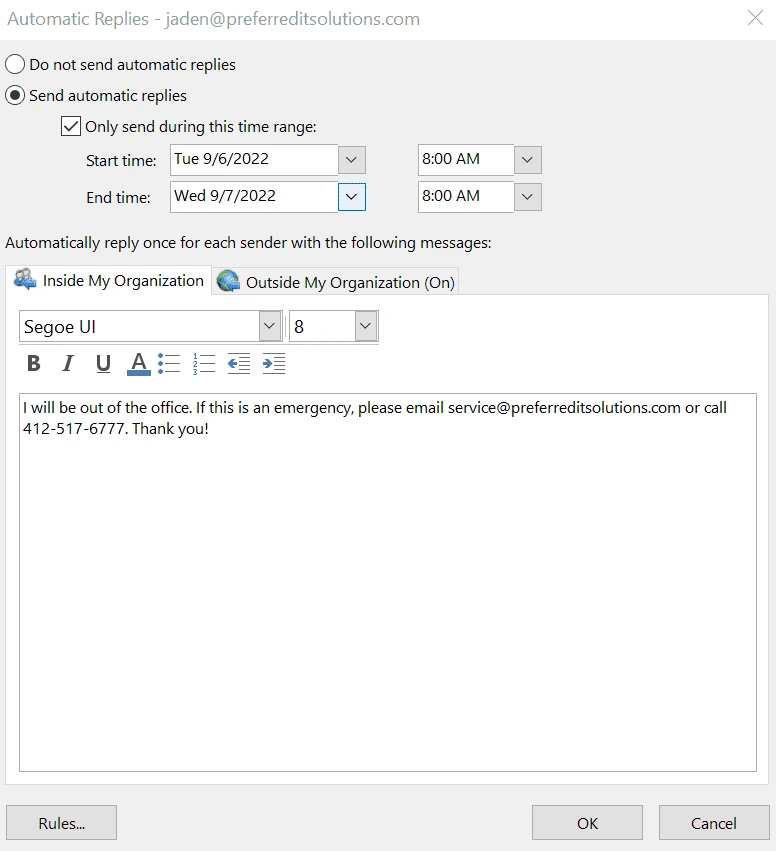
Before setting your out-of-office reply, remove details about how long you will be gone and who is covering for you. Just say “I am currently out of the office and will respond when I return.”
Why It Matters
Out-of-office messages tell attackers exactly when you are gone, how long, and who to impersonate. Scammers monitor auto-replies during holidays to send fake urgent requests to whoever is covering for you.
November 2025 Unused employee accounts and backup testing
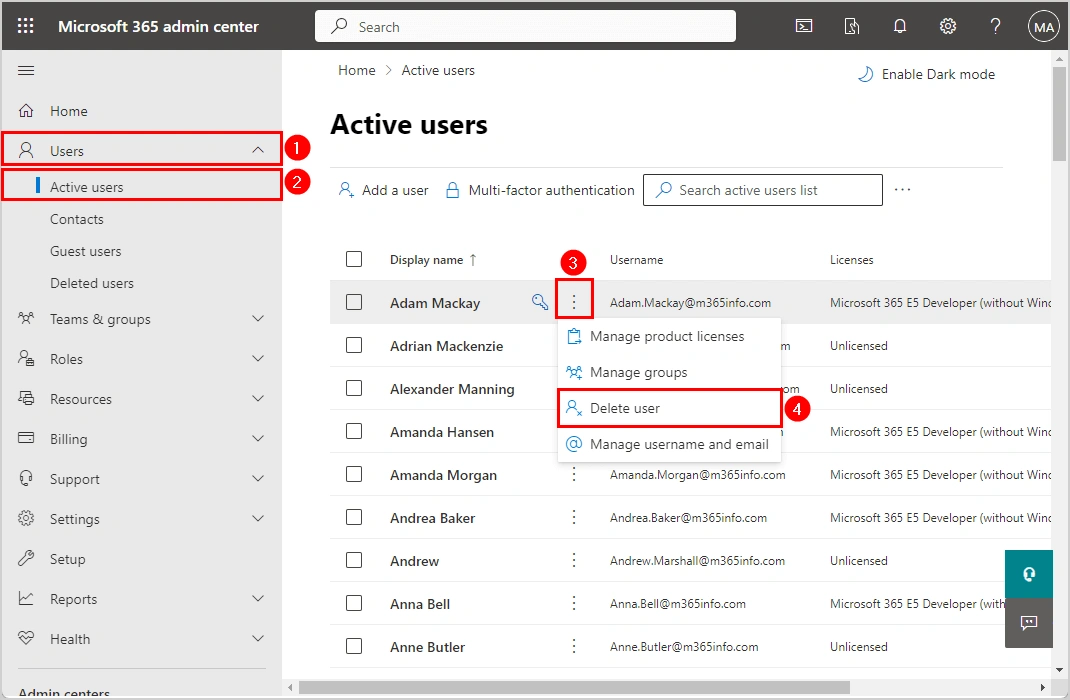
Log into your Microsoft 365 or Google Workspace admin panel and check the Last Sign-In date for every user. Disable any account that has not logged in for 60 or more days, then remove the license to stop paying for it.
Why It Matters
Every unused account is a security risk and wasted money. Hackers target old employee accounts because no one is monitoring them. You are also paying monthly license fees for people who no longer work there.
FIX 02
Set Up Automatic Backup Testing So You Know Your Backups Actually Work
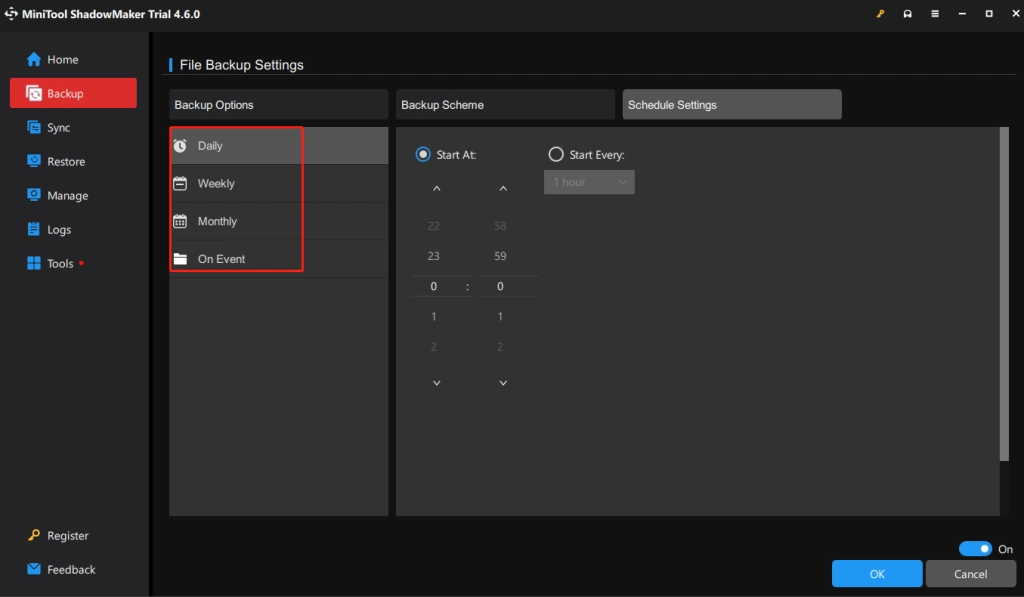
Schedule a monthly automatic restore test for your Windows backups. If you are using Veeam, Acronis, or Windows Backup, set up an automated test that restores a random file to a separate test folder and verify the file opens correctly.
Why It Matters
60% of businesses discover their backups do not work when they are trying to recover from ransomware or hardware failure. By then it is too late. Monthly testing catches problems while you still have time to fix them.
October 2025 QuickBooks ransomware riska nd backup schedules
FIX 01
Move Your QuickBooks File Off the Desktop Before Ransomware Finds It
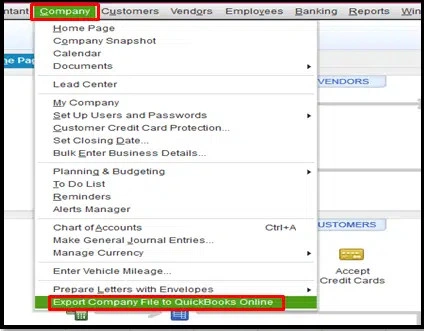
Move your QuickBooks company file off your desktop or downloads folder. Store it on a network drive with automatic backups, or upgrade to QuickBooks Online. Ransomware targets desktop files because they are easy to encrypt.
Why It Matters
QuickBooks files contain your entire financial history, customer data, and vendor information. Losing access means you cannot invoice, pay bills, or run payroll.
FIX 02
Verify Your Backup Schedules Handle Daylight Saving Time Correctly
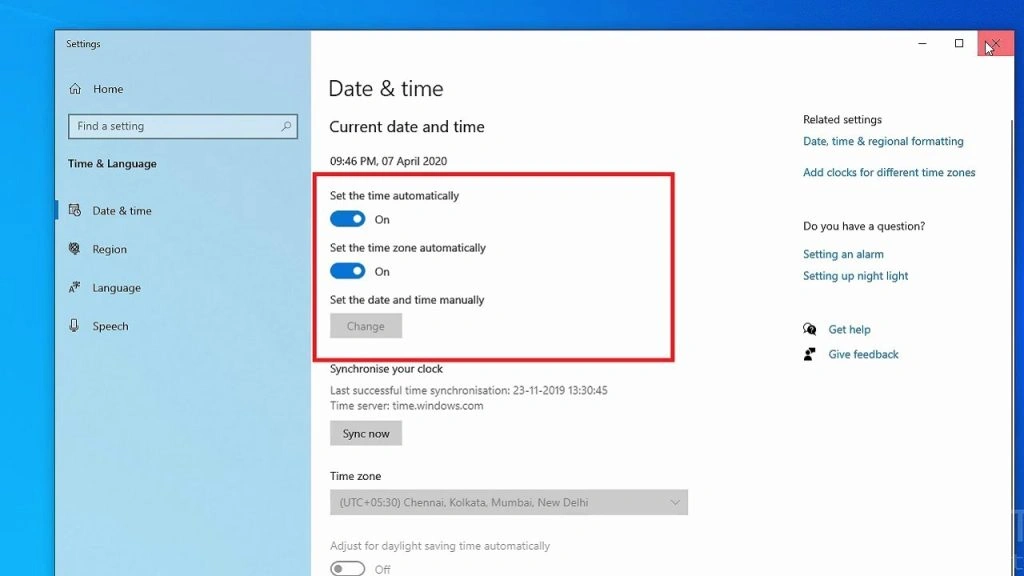
Before clocks change, verify your backup systems adjust automatically. Some older backup software does not handle time changes well, causing backups to run at the wrong time or skip entirely.
Why It Matters
Missing even one night of backups during a critical window could mean losing a full day of business data if something goes wrong.
September 2025 Hidden Windows setting and Microsoft 365 storage scam
FIX 01
Turn On This Hidden Windows Setting to Stop 73% of Malware
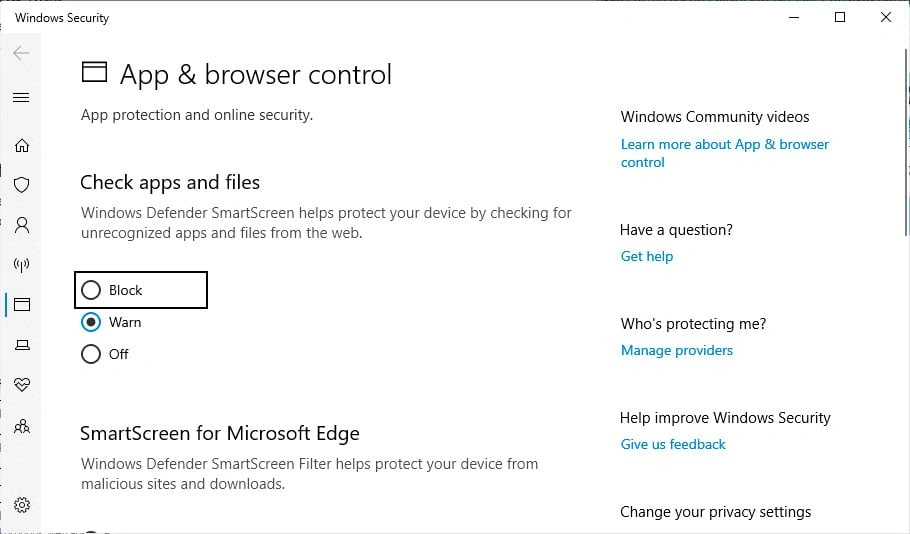
Go to Windows Security > App and Browser Control > turn on Block under Check apps and files. This free built-in protection blocks most malware downloads automatically.
Why It Matters
Many businesses never enable Windows’ built-in security features. This one setting blocks the majority of malware before it ever runs on your machine.
FIX 02
The Microsoft 365 "Storage Full" Scam Targeting Small Businesses
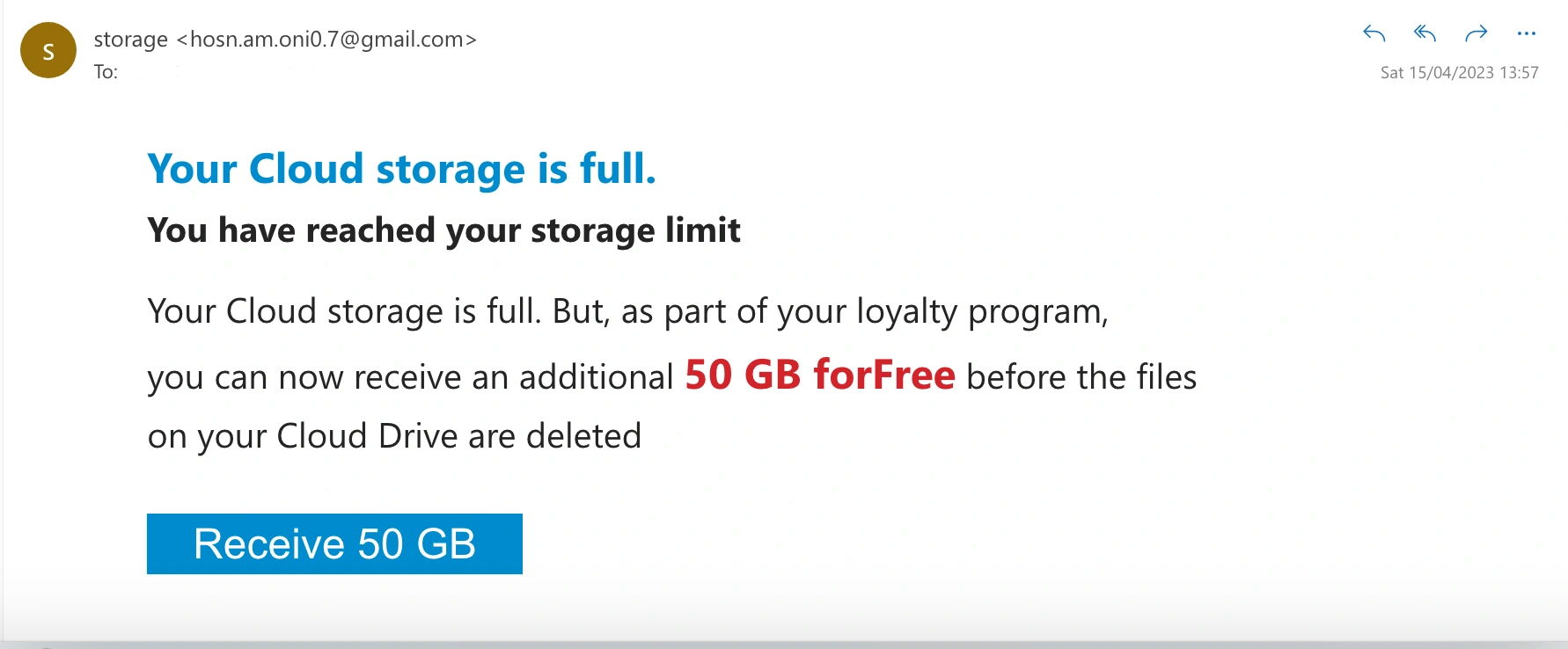
Getting emails saying your Microsoft 365 storage is 99% full? Before clicking Upgrade Now, log into your real Microsoft 365 admin center directly. Criminals use storage fears to steal business account passwords.
Why It Matters
89% of small businesses use Microsoft 365, making it a perfect phishing target. Always navigate directly to admin.microsoft.com rather than clicking links in unexpected emails.
Want these fixes handled for you automatically?
GiaSpace monitors, patches, and secures your systems so your team never has to think about it.