Anthropic just made its biggest move into legal work yet.
Lawyers were supposed to be the last holdouts (a profession that bills by the hour has limited enthusiasm for tools that save hours). Instead they have become some of the most enthusiastic AI users around, with the ABA’s 2026 TechReport finding that 79% of lawyers now use AI in some capacity.
In May 2026, Anthropic leaned all the way in and released Claude for Legal, a version of its AI assistant built for the contract, compliance, and research work that eats a lawyer’s week, with role-specific plugins and secure connections to platforms like Westlaw and Thomson Reuters. It followed Claude for Word, which landed weeks earlier with contract review as its headline use case. Here is where Claude is actually earning its keep, and how to put it to work this week.
First-Pass Contract Review
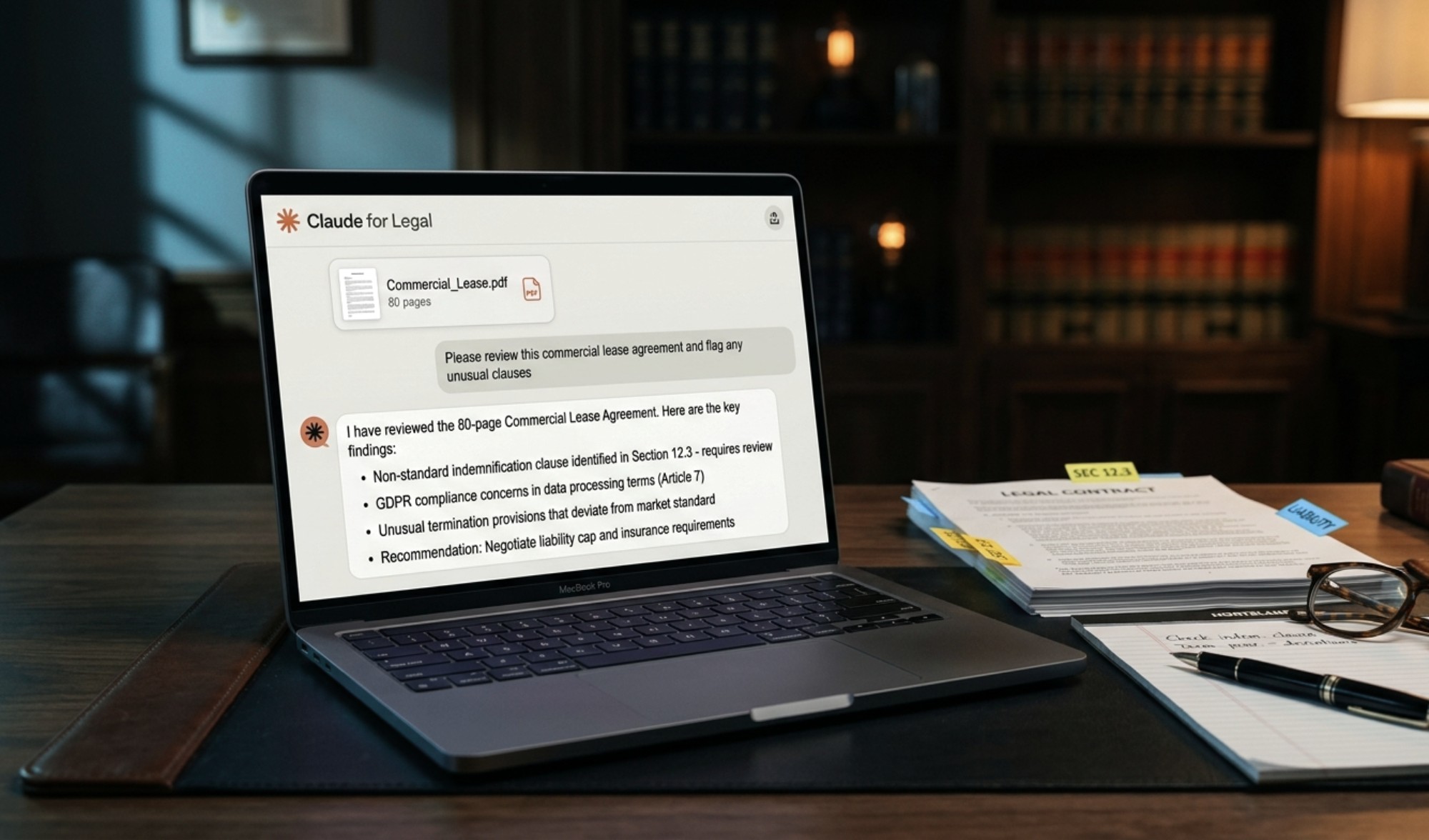
This is the use most firms start with, because Claude reads the 80-page agreement so an associate does not have to hunt for the three clauses that matter. It will not replace the partner’s judgment, but it will hand back the first two hours of the review already done. Inside a Word document, it can summarize the key commercial terms, flag clauses that deviate from market standard, and work through reviewer comments without anyone leaving the file.
Try this prompt: “Review this MSA and flag any clauses that deviate from standard market terms, focusing on indemnity, limitation of liability, and termination. Put each in a table with the clause, the risk, and a suggested redline.”
The Document Pile
Legal work is mostly reading, and a lot of that reading is tedious rather than hard, which is exactly the work Claude clears off your plate. Hand it the repetitive review tasks that pile up:
- Triaging a stack of NDAs against your firm’s playbook
- Checking contract language against a framework like GDPR or CCPA
- Turning a long matter file into a briefing you can actually use before a call
- Comparing two versions of a contract and listing what changed, in plain language
*One note before you paste anything in: if your firm has not decided which documents are allowed into an AI tool, settle that first. It is a small guardrail that prevents a large headache, and it is exactly the kind of thing we help firms set up.*
Drafting That Does Not Sound Like a Robot
Lawyers tend to like Claude’s writing because it reads the way legal documents read, careful and structured rather than chirpy, so engagement letters, client updates, internal memos, and the dreaded “explain this clause to a human” email all come out usable on the first pass. Give it the context and the audience, and it will match the tone.
Try this prompt: “Draft a short client email explaining why we recommend not signing the vendor’s contract as written. Keep it plain and calm, no legalese, and end with the two changes we need before they sign.”
What It Will Not Do
Here is the part that keeps you out of trouble. Claude can be confidently wrong (it has the conviction of a first-year associate and occasionally the accuracy of one), so treat its output as a strong first draft rather than a final answer. These three rules keep it safe:
- Verify every citation against the actual source, and every contract against the actual contract
- Keep a human as the signatory, always
- On commercial Claude plans your inputs are not used to train the models by default, but check your firm’s policy before you paste in anything privileged
The Bottom Line
The firms getting real value here are not the ones chasing the flashiest setup; they are the ones handing Claude the boring 80% so their lawyers can spend the day on the 20% that actually needed a lawyer. The tools are now built for legal work, the adoption numbers are already there, and the only real question is whether your firm rolls this out deliberately or lets each person figure it out on their own with client data on the line.
Where GiaSpace Fits
At GiaSpace, we help Florida law firms put Claude to work the right way: connected to the systems you already use, with the security and policies that keep client data protected. If you want a clear answer for clients, regulators, and insurers when they ask how your firm handles AI, that starts with a conversation.
→ Schedule a Free Assessment with Rob Giannini, our CEO and AI specialist
→ Learn More About Our AI and Automation Services
Published: Jun 16, 2026
Need IT Support for Your Florida Business?
GiaSpace provides proactive managed IT services, cybersecurity, and local tech support across Florida — with teams in Gainesville, Fort Lauderdale, Jacksonville, and Ocala.
Managed IT Services FloridaCybersecurity Services FLGainesville IT ServicesFort Lauderdale IT Services