Discover how Employee Productivity can benefit your organization.
Boost Microsoft Teams engagement and productivity. Learn key strategies, leverage features, and foster a connected culture to maximize your M365 ROI.
| Metric | Value (Source) | Note |
|---|---|---|
| Engaged Remote/Hybrid Employees | 23% (Teamflect 2025) | Only a quarter feel highly engaged, highlighting the need for optimization. |
| Productivity Boost from MS Teams (Integration) | Up to 30% (ResearchGate 2025, Ferrazzi 2020) | Effective Teams integration significantly enhances team efficiency. |
| Organizations Reporting Strong Remote/Hybrid Culture | 21% (Teamflect 2025) | A low percentage indicates a critical need for structured engagement initiatives. |
What Exactly is Employee Engagement, and Why is it Crucial for Businesses?
In today’s dynamic work landscape, “employee engagement” is more than just a buzzword; it’s the heartbeat of a thriving organization. But what does it truly mean? Employee engagement describes the emotional commitment an employee has to their organization and its goals. It’s about how dedicated, passionate, and invested your team members are in their work and the company’s success.
Highly engaged employees aren’t just showing up; they’re actively contributing, innovating, and driving results. They feel a sense of purpose, understand how their work impacts the bigger picture, and are motivated to go the extra mile.
So, why is this crucial for your business? The impact of engaged employees ripples across every facet of your operations:
- Increased Productivity & Performance: Engaged teams are more focused, efficient, and proactive. They are less likely to procrastinate and more likely to meet or exceed their goals.
- Higher Retention Rates: Employees who feel valued and connected are less likely to seek opportunities elsewhere, significantly reducing costly turnover and preserving institutional knowledge.
- Improved Customer Satisfaction: Engaged employees are often happier and more motivated, directly translating into better customer service and stronger client relationships.
- Enhanced Innovation: When employees feel heard and invested, they’re more likely to share new ideas, challenge the status quo, and contribute to continuous improvement.
- Stronger Company Culture: High engagement fosters a positive, collaborative, and resilient work environment that attracts top talent.
- Greater Profitability: Ultimately, the combined benefits of productivity, retention, innovation, and customer satisfaction directly contribute to a healthier bottom line and sustained business growth.
In an era of remote and hybrid work, cultivating genuine employee engagement requires intentional strategies, and that’s where the right digital tools, like Microsoft Teams, become indispensable.
What Are the Latest Statistics on Remote Employee Engagement in Teams?
The shift to remote and hybrid work models has undeniably transformed how we collaborate. While technology has enabled this flexibility, it has also brought new challenges to maintaining a connected and engaged workforce. Understanding the current landscape through data is crucial for businesses aiming to optimize their digital collaboration tools like Microsoft Teams.
Recent industry reports highlight a significant gap in engagement levels within these evolving work environments:
- A staggering 23% of remote or hybrid employees feel truly engaged in their daily work (Teamflect 2025). This statistic reveals a critical challenge: despite technological advancements, only about a quarter of the workforce operating outside traditional offices feels genuinely connected and motivated. This low engagement directly impacts productivity, innovation, and retention, underscoring the urgent need for targeted strategies.
- Moreover, a mere 21% of organizations report having a strong remote or hybrid work culture (Teamflect 2025). This low percentage indicates that many businesses are still struggling to adapt their operational and cultural frameworks to support distributed teams effectively. Without a robust culture, tools like Microsoft Teams risk becoming mere communication channels rather than true engagement platforms.
These figures underscore a vital point: simply providing Microsoft Teams isn’t enough. The challenge lies in actively leveraging its capabilities to bridge the geographical divide, foster meaningful connections, and build a vibrant, inclusive culture that genuinely engages every employee, regardless of their location. For businesses, this isn’t just about productivity; it’s about competitive advantage and sustained growth in the modern economy.
How Does Microsoft Teams Directly Impact Employee Engagement?
Microsoft Teams is far more than just a chat application; it’s a comprehensive collaboration platform that, when utilized effectively, can profoundly transform employee engagement. It acts as the central nervous system of a modern workplace, connecting people, information, and workflows in ways traditional tools cannot.
Here’s how Microsoft Teams directly impacts and enhances employee engagement:
- Breaks Down Communication Barriers: Teams centralizes communication, moving discussions out of crowded email inboxes into focused channels. This transparency and accessibility mean employees are always in the loop, understand project statuses, and can easily connect with colleagues, fostering a sense of belonging and reducing silos.
- Facilitates Seamless Collaboration: Teams provides a shared digital workspace where documents can be co-authored in real-time, projects can be managed, and ideas can be brainstormed collectively. This ease of collaboration ensures everyone’s voice is heard, contributions are visible, and teamwork feels fluid and productive, boosting individual and collective morale.
- Enhances Connection & Community: Beyond work-related tasks, Teams allows for the creation of social channels (e.g., #watercooler, #pets-of-teams, #wellness) that foster informal connections and camaraderie. This ability to build rapport and personal relationships, especially in remote or hybrid settings, is crucial for combating isolation and building a strong, inclusive company culture.
- Streamlines Workflows & Reduces Frustration: By integrating with other Microsoft 365 apps and third-party tools, Teams minimizes context switching. Employees can access files, schedules, and project management tools directly within their conversations, reducing friction and allowing them to focus on meaningful work rather than administrative hurdles. This efficiency directly boosts satisfaction and engagement.
- Provides Visibility & Recognition: Teams makes contributions more visible. From “likes” and “reactions” on posts to direct praise in channels and dedicated recognition apps, the platform provides immediate feedback mechanisms. This visibility helps employees feel appreciated and acknowledge their impact, fueling motivation.
- Supports Learning & Development: Companies can use Teams to host training sessions, share knowledge bases, and create dedicated learning channels. This accessible approach to professional development shows employees that their growth is valued, contributing significantly to their long-term engagement.
By creating a central, dynamic, and intuitive hub for all forms of interaction, Microsoft Teams empowers employees to feel more connected, productive, and valued, directly translating into higher levels of engagement.
What are the Most Effective Strategies to Boost Teams Engagement and Productivity?
Leveraging Microsoft Teams for true employee engagement and productivity goes beyond simply rolling out the software. It requires a strategic approach that combines technical optimization with cultural initiatives. Here are the most effective strategies your organization can implement:
- Define Clear Purpose & Guidelines for Each Team/Channel: Sprawl kills engagement. Ensure every Team and channel has a clear, communicated purpose. Implement naming conventions and guidelines for when to use a chat versus a channel, or when a new Team is truly needed. This clarity helps employees find relevant information faster and prevents overwhelming digital noise.
- Actively Promote Strategic Channel Usage: Encourage focused discussions within specific channels rather than relying on general “conversations.” Train users on how to effectively use threads, mentions, and tags to keep discussions organized and searchable.
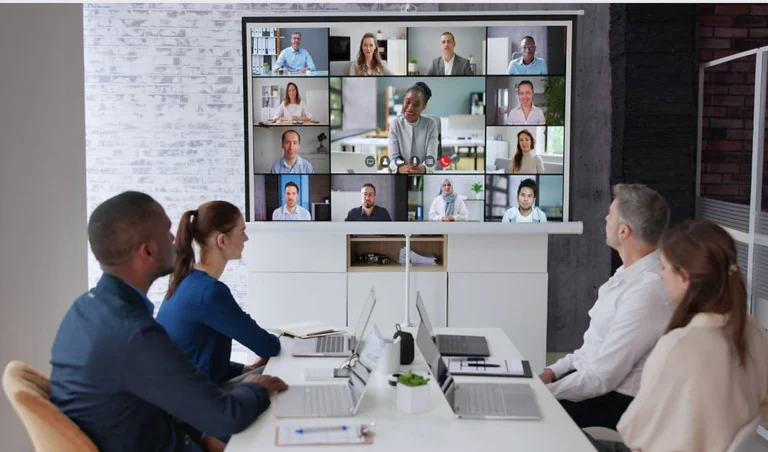
- Encourage Video & Live Interaction: While chat is convenient, foster human connection by encouraging video calls for meetings, informal catch-ups, and daily stand-ups. Utilize Teams Live Events for company-wide announcements or town halls to create a sense of shared experience.
- Integrate Essential Apps & Workflows: Connect Teams with your most frequently used business applications (e.g., project management tools, CRM, HR platforms). Minimizing context switching and allowing employees to work directly within Teams boosts efficiency and reduces frustration.
- Foster Social Connection & Informal Communication: Create dedicated “watercooler” or interest-based channels (e.g., #pets, #hobbies, #wellness-tips). These informal spaces are crucial for building camaraderie, combating isolation, and reinforcing company culture, especially in remote environments.
- Implement Recognition & Feedback Mechanisms: Regularly acknowledge and celebrate achievements publicly within Teams channels. Utilize apps like “Praise” to give shout-outs. Encourage regular, constructive feedback through polls, surveys, and dedicated feedback channels. Employees who feel valued are more engaged.
- Champion Digital Literacy & Training: Provide ongoing training, tips, and best practices for using Teams effectively. Show employees how to leverage features they might not know about, improving their efficiency and confidence within the platform.
- Encourage Asynchronous Communication: Train teams on how to communicate effectively without requiring immediate responses. This respects different time zones, reduces pressure, and allows for more thoughtful contributions, boosting productivity.
By strategically implementing these approaches, your organization can transform Microsoft Teams into a vibrant, highly productive, and engaging digital workplace.
How Can Microsoft Teams Foster Better Communication and Collaboration?
At its core, Microsoft Teams is a communication and collaboration powerhouse. When used intentionally, it can break down silos, accelerate decision-making, and create a truly connected workforce. Here’s how Teams fosters superior communication and collaboration:
- Centralized & Transparent Communication: Teams moves conversations out of cluttered email inboxes into organized channels. This means discussions are visible to all relevant team members, fostering transparency and ensuring everyone has access to the same information. No more “reply-all” storms or missed attachments.
- Real-Time Chat & Instant Messaging: For quick questions and immediate updates, Teams chat is invaluable. It enables fluid, natural conversations that mimic in-person interactions, reducing the need for endless email exchanges and accelerating response times.
- Structured Channels for Focused Discussions: Instead of one large group chat, Teams allows for dedicated channels for specific projects, topics, or departments. This organization means conversations are highly relevant, easy to follow, and searchable, ensuring that vital information isn’t buried.
- Seamless File Sharing & Co-authoring: Teams integrates directly with SharePoint and OneDrive, making file sharing effortless. More importantly, it enables real-time co-authoring of documents, spreadsheets, and presentations. Multiple team members can work on the same file simultaneously, eliminating version control issues and drastically speeding up collaborative projects.
- Integrated Video Conferencing & Meetings: With built-in video and audio calling, Teams makes virtual meetings as intuitive as in-person ones. Features like screen sharing, whiteboard functionality, and meeting recordings ensure that all participants can actively engage and refer back to discussions.
- Presence Indicators: Knowing when a colleague is available, in a meeting, or away allows for more effective communication planning, reducing frustration and facilitating quick connections.
- Breaking Down Silos: By enabling cross-departmental Teams or channels for specific initiatives, the platform naturally encourages collaboration beyond traditional organizational boundaries, fostering a more interconnected and innovative environment.
- Notifications & Alerts: Customizable notifications ensure employees stay informed about relevant discussions and updates without being overwhelmed, striking a balance between awareness and focus.
By providing a unified platform for diverse communication styles and collaborative workflows, Microsoft Teams empowers your employees to connect, share, and achieve more together, driving collective success.
Which Microsoft Teams Features Best Enhance Employee Engagement and Productivity?
Microsoft Teams is packed with features designed to streamline workflows, foster connection, and boost output. Truly maximizing employee engagement and productivity means going beyond basic chat and proactively leveraging these powerful capabilities:
- Channels (Standard & Private): The backbone of organized collaboration.
- Engagement: Create dedicated channels for projects, departments, or even social topics (e.g., #WaterCooler, #InnovationIdeas) to foster focused discussion and community building.
- Productivity: Keeps conversations and files organized by topic, making information easy to find and reducing noise compared to broad group chats.
- Chat & Group Chat: For quick, informal communication.
- Engagement: Facilitates instant questions, quick check-ins, and lighthearted exchanges that build rapport.
- Productivity: Reduces email clutter for short queries and enables rapid decision-making.
- Integrated Video Meetings: Essential for remote and hybrid teams.
- Engagement: Fosters face-to-face connection, reduces isolation, and allows for clearer communication through non-verbal cues. Features like custom backgrounds and Together Mode can enhance the experience.
- Productivity: Screen sharing, digital whiteboards, and meeting recordings ensure effective collaboration, shared understanding, and easy reference.
- Files Tab & Co-Authoring: The heart of collaborative document work.
- Engagement: Empowers teams to work together seamlessly on documents, promoting shared ownership and contribution.
- Productivity: Eliminates version control issues, speeds up document creation and review cycles, and centralizes access to project files.
- Apps & Integrations (Connectors, Tabs): Bring your essential tools directly into Teams.
- Engagement: Reduces context switching by allowing users to access tools (e.g., Trello, Asana, Jira, Salesforce) without leaving Teams, making workflows smoother.
- Productivity: Creates a single pane of glass for work, enhancing efficiency and ensuring that all project-related activities are visible within the team’s collaboration space. Use Polls, Praise, and Forms apps for quick feedback and recognition.
- Notifications & Activity Feed: Keeps users informed without overwhelming them.
- Engagement: Customizable settings allow users to stay on top of relevant conversations and mentions, feeling connected without constant distraction.
- Productivity: Helps users prioritize and focus on important updates, preventing information overload.
- Tasks by Planner and To Do: Project and task management within Teams.
- Engagement: Provides clear visibility into team responsibilities and progress, fostering accountability and reducing confusion.
- Productivity: Centralizes task management, allowing teams to plan, track, and manage work items directly within their collaboration hub.
- Whiteboard: Virtual brainstorming and collaboration.
- Engagement: Encourages interactive idea generation and problem-solving in real-time, regardless of physical location.
- Productivity: Facilitates dynamic discussions and visual planning sessions that can be saved and revisited.
By strategically implementing and training your teams on these key features, you can unlock the full potential of Microsoft Teams to drive both engagement and unparalleled productivity.
How Can Teams Support Employee Well-being and Work-Life Balance?
In a world grappling with remote work challenges and the blurring lines between professional and personal life, employee well-being is paramount. Microsoft Teams, beyond being a productivity tool, can be intentionally used to support mental health, promote healthy habits, and encourage better work-life balance among your employees.
- Facilitating Flexible Work: Teams is the cornerstone of flexible work arrangements. Its accessibility from anywhere, on any device, allows employees to manage their schedules, work from home, or adjust their hours as needed, contributing to greater autonomy and work-life balance.
- Reducing Digital Fatigue (Strategic Use): While overuse can cause fatigue, strategic use of Teams can reduce it. By centralizing communication and minimizing context switching (through app integrations), Teams can reduce the constant hopping between platforms, leading to less mental strain. Encouraging asynchronous communication helps reduce the pressure for immediate responses.
- Promoting Mental Health Resources: Create dedicated channels for sharing well-being resources, articles, and tips (e.g., #WellnessCorner). Companies can also use Teams to host virtual mindfulness sessions, stress management workshops, or connect employees with EAP (Employee Assistance Program) resources.
- Encouraging Social Connection: Combat isolation by fostering informal social channels (e.g., #pet-pics, #book-club, #fitness-challenges). These spaces allow employees to connect on a personal level, build friendships, and reduce feelings of loneliness often associated with remote work.
- Setting Boundaries with Presence & Notifications: Train employees on how to effectively use Teams’ presence settings (e.g., “Do Not Disturb,” “Off Work”) and manage notification preferences. This empowers them to set digital boundaries, step away from work, and protect their personal time without feeling guilty.
- Virtual Team Building & Social Events: Organize virtual coffee breaks, game nights, or themed social events using Teams video conferencing. These activities provide a much-needed break from work discussions and strengthen team bonds.
- Supporting Ergonomics & Home Office Setup: Create a channel for sharing tips on home office ergonomics, healthy breaks, and creating a productive, comfortable workspace.
By proactively integrating well-being initiatives into your Teams usage, you can demonstrate genuine care for your employees, fostering a healthier, more balanced, and ultimately, more engaged workforce.
How to Continuously Monitor and Improve Teams Engagement?
Maximizing employee engagement and productivity in Microsoft Teams is not a one-time project; it’s an ongoing journey of monitoring, analysis, and adaptation. To ensure your efforts yield sustained results, a continuous improvement loop is essential.
- Leverage Microsoft Teams Analytics & Reports:
- Teams Admin Center: Provides usage reports on active users, channels, meetings, and app usage. Identify which Teams are thriving and which are dormant.
- Microsoft 365 Usage Reports: Offer deeper insights into overall Microsoft 365 adoption, including activity within Teams, SharePoint, and OneDrive. This helps understand how employees interact with the entire ecosystem.
- Power BI: Connect Power BI to your Microsoft 365 usage data for richer, customizable dashboards that track key engagement metrics over time.
- Conduct Regular Employee Surveys & Polls:
- Use Microsoft Forms within Teams to create quick, anonymous polls (e.g., “How easy is it to find information in Teams?”).
- Implement more comprehensive engagement surveys (e.g., quarterly) to gather qualitative feedback on communication effectiveness, collaboration satisfaction, and overall Teams experience.
- Focus on specific questions related to your engagement strategies (e.g., “Do you feel connected to your colleagues in Teams?”).
- Facilitate Feedback Channels:
- Establish dedicated Teams channels where employees can openly provide suggestions, ask questions about best practices, or report pain points related to Teams usage.
- Conduct focus groups with diverse employee groups to gather deeper qualitative insights into their challenges and successes with Teams.
- Monitor Key Engagement Metrics:
- Active Users & Active Teams: Are people consistently logging in and using the platform? Is the number of active Teams growing appropriately, or is it experiencing sprawl?
- Channel Activity: Are channels being actively used for discussions, or are they quiet?
- Meeting Participation: Are employees actively participating in virtual meetings?
- File Collaboration: How frequently are documents being co-authored or shared?
- App Usage: Which apps are most adopted? Are employees leveraging integrations effectively?
- Identify & Address Pain Points:
- Analyze survey results and usage data to identify common frustrations or areas of low engagement (e.g., “too many notifications,” “can’t find files,” “difficult to connect socially”).
- Develop targeted training, update policies, or adjust configurations to address these specific issues.
- Celebrate Successes & Share Best Practices:
- Highlight successful Teams and channels that demonstrate high engagement and productivity. Share their strategies as examples for others.
- Regularly communicate the positive impact of your engagement initiatives (e.g., “Thanks to better channel organization, project XYZ completed 15% faster!”).
By establishing a robust system for monitoring and feedback, you ensure that your Microsoft Teams environment remains a dynamic, engaging, and highly productive hub for your entire workforce.
Common Pitfalls: What Hinders Employee Engagement in Microsoft Teams?
While Microsoft Teams offers immense potential, several common pitfalls can derail your efforts to boost employee engagement and productivity. Recognizing these challenges is the first step toward effective remediation and ensuring your investment truly pays off.
- Teams Sprawl & Disorganization: This is arguably the biggest killer of engagement. When there are too many Teams and channels (often with redundant purposes or inconsistent naming), employees experience information overload. They struggle to find relevant information, leading to frustration, wasted time, and a feeling of being overwhelmed. Chaos directly stifles productivity.
- Lack of Clear Usage Guidelines: Without clear policies on when to use a chat vs. a channel, how to use threads, or what types of content belong where, the platform becomes a free-for-all. This leads to fragmented conversations, missed information, and a general sense of digital clutter.
- Notification Fatigue: While notifications are essential, an endless stream of alerts from too many active channels or group chats can quickly lead to burnout. Employees learn to ignore notifications, missing critical updates, or feel constantly “on.”
- Over-Reliance on Chat: While convenient, relying solely on instant messaging for complex discussions can lead to miscommunications, a lack of documentation, and an inability to track decisions. It also limits deeper, more thoughtful collaboration.
- Poor Integration with Other Tools: If employees have to constantly switch between Teams and other essential business applications (CRM, project management, HR), efficiency plummets. This friction undermines the seamless experience Teams is meant to provide.
- Lack of Training & Digital Literacy: Many users only scratch the surface of Teams’ capabilities. If they don’t understand how to leverage features like file co-authoring, app integrations, or proper search functions, their productivity and engagement remain suboptimal.
- Absence of Social Channels & Informal Connection: Especially in remote or hybrid settings, the lack of informal “water cooler” moments can lead to isolation. If Teams is only for formal work, it misses a crucial element of human connection that fuels engagement.
- Infrequent or No Cleanup: Dormant Teams, outdated files, and unresolved conversations accumulate, creating digital noise. This makes the platform feel stagnant and unmanaged, discouraging active participation.
- Ignoring Feedback: If employee feedback about Teams usage, frustrations, or suggestions is not collected or acted upon, it signals that their experience doesn’t matter, leading to disengagement.
- Leadership Not Leading by Example: If senior management doesn’t actively use Teams effectively, adhere to governance, or champion engagement, it sends a powerful negative signal that can undermine adoption efforts.
Addressing these common pitfalls systematically is key to transforming Microsoft Teams into a truly engaging and highly productive environment.
Why Choose GiaSpace to Maximize Your Teams Engagement and ROI?
Successfully leveraging Microsoft Teams to boost employee engagement and productivity is a complex undertaking, requiring more than just software deployment. It demands strategic planning, expert configuration, continuous management, and a deep understanding of both technology and human dynamics. For businesses across Florida – including Gainesville, Orlando, Jacksonville, Fort Lauderdale, and Miami – GiaSpace offers the specialized expertise to transform your Microsoft Teams environment from simply a tool into a powerful engine for organizational success.
Why GiaSpace is your ideal partner in unlocking Teams’ full potential:
- Holistic Microsoft 365 Expertise: We don’t just understand Teams; we understand the entire Microsoft 365 ecosystem. This allows us to integrate Teams seamlessly with SharePoint, OneDrive, Exchange, and other applications, creating a unified and efficient workflow that maximizes productivity.
- Strategic Governance & Optimization: We help you navigate the complexities of Teams sprawl by designing and implementing robust governance policies. This ensures your Teams environment is organized, secure, and easy to navigate, directly enhancing employee experience and reducing frustration.
- Customized Implementation & Configuration: Every business is unique. We tailor Teams deployments and configurations to your specific needs, industry, and culture, ensuring the platform truly supports your workflows and objectives.
- Enhanced Security & Compliance: We implement advanced security measures and compliance best practices within Teams, protecting your sensitive data while fostering an open and collaborative environment.
- Empowering User Adoption & Training: Our programs go beyond basic tutorials. We provide comprehensive, engaging training that empowers your employees to use Teams effectively, adopt best practices, and understand how the platform can boost their personal and team productivity.
- Proactive Monitoring & Support: Our managed services ensure your Teams environment remains optimized, secure, and high-performing. We monitor for issues, provide ongoing support, and help you adapt to new features and evolving needs.
- Measurable ROI: We focus on delivering tangible results. By optimizing engagement and productivity, we help you maximize your return on investment in Microsoft 365, turning your technology spend into a strategic advantage.
Don’t let your Microsoft Teams investment fall short of its potential. Partner with GiaSpace to create a dynamic, engaged, and highly productive digital workplace that drives your business forward. Contact us today for a consultation and discover how we can transform your Teams experience.